Async/Await คืออะไร ? | พื้นฐาน JavaScript EP.27–29
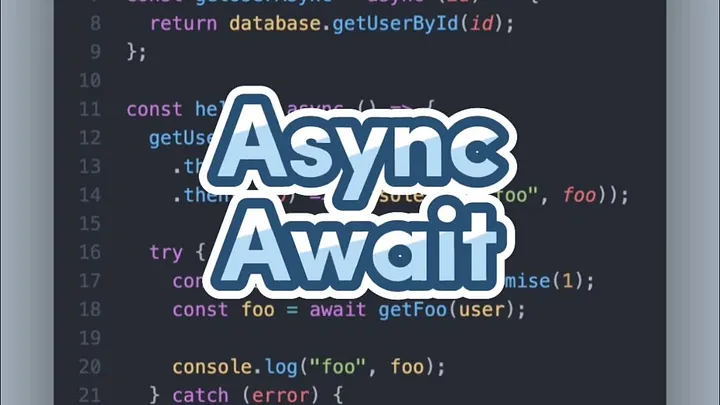
Async/Await เป็นฟีเจอร์ที่จะช่วยให้เราสามารถเขียนโค้ดได้เหมือน synchronous
async จะเอาไว้ใส่กับฟังก์ชันที่เราต้องการให้ส่งค่าเป็น promise ออกมาเสมอครับ แม้ว่าฟังก์ชันของผมจะทำงานแบบ synchronous แต่ถ้าใช้ async แล้ว ก็จะส่งค่าออกมาเป็น promise อยู่ดีครับ จากตัวอย่างจะส่งออกมาเป็น promise ทั้งคู่ครับ
const getUserPromise = (id) => {
  return new Promise((resolve) => {
    resolve(database.getUserById(id));
  });
};

// ใส่ async แล้วจะทำให้ส่งค่าออกมาเป็น Promise เสมอ
const getUserAsync = async (id) => {
  return database.getUserById(id);
};
หากผมมีฟังก์ชันที่ส่ง promise ออกมา แทนที่ผมจะใช้ .then เพื่อรับค่า ผมสามารถใช้ await แทน และสร้างตัวแปรแบบนี้ แล้วก็เอาตัวแปรไปใช้ต่อได้เลยครับ
const hello = async () => {
  // 1. เขียนแบบ Promise
  getUserPromise(1)
    .then((user) => getFoo(user))
    .then((foo) => console.log("foo", foo));

  // 2. เขียนแบบ async await
  const user = await getUserPromise(1);

  const foo = await getFoo(user);
  console.log("foo", foo);
};
แม้ว่า promise จะสามารถ .then ต่อกันได้ แต่ await ก็สามารถส่งค่าเข้าไปแบบนี้ได้เลยเช่นกันครับ แต่มีข้อกำหนดคือ await สามารถเรียกใช้ในฟังก์ชัน async เท่านั้น
เราสามารถดัก error ได้ผ่านการครอบ await ของเราด้วย try catch ครับ หากมี error เกิดขึ้น ใน try ก็จะหยุดทำงาน และโยน error ไปที่ catch นั่นเองครับ แน่นอนว่ามี finally ให้ใช้เหมือน promise ด้วยนะครับ
const hello = async () => {
  try {
    // เมื่อเกิด error ขึ้นจะดักจับ และส่งค่าไปยัง catch
    const user = await getUserPromise(1);
    const foo = await getFoo(user);
    console.log("foo", foo);
  } catch (error) {
    console.error(error);
  } finally {
    // ทำงานในตอนสุดท้ายเสมอ ไม่ว่าจะสำเร็จหรือผิดพลาด
    console.log("finally");
  }
};
ข้อผิดพลาดที่ไม่ได้ตั้งใจ
บางครั้งอาจจะเป็นเราเองนี่แหละที่ติดกับดักการใช้ async await
จากโค้ดตัวอย่างเพื่อน ๆ ว่ามีอะไรผิดปกติมั้ยครับ
const main = async () => {
  const user = await getUser();
  const foo = await getFoo();
  const bar = await getBar();
  console.log("user", user);
  console.log("foo", foo);
  console.log("bar", bar);
};
ใช่ครับโค้ดชุดนี้ทำงานได้อย่างถูกต้อง แต่ถ้าเราเขียนแบบนี้จะทำให้เราไม่ได้ใช้ความสามารถของ asynchronous ได้อย่างเต็มที่ครับ
ถ้าเรามาดูการทำงานของโค้ดจะพบว่าโค้ดทำงานเป็นลำดับ
- โค้ดชุดที่ 1 ทำงาน
- โค้ดชุดที่ 2 ต้องรอชุดที่ 1 เสร็จก่อน จึงจะเริ่มทำงาน
- โค้ดชุดที่ 3 ก็ต้องรอชุดที่ 2 เสร็จก่อน จึงจะเริ่มทำงาน
กลายเป็นว่าโค้ดของเราทำงานแบบ synchronous ไปซะแล้ว
const main = async () => {
  const user = await getUser(); // ทำงานลำดับที่ 1 และรอผล
  const foo = await getFoo(); // ทำงานลำดับที่ 2 และรอผล
  const bar = await getBar(); // ทำงานลำดับที่ 3 และรอผล
  console.log("user", user);
  console.log("foo", foo);
  console.log("bar", bar);
};
วิธีแก้คือเรานำ await ออกก่อน จะได้ promise ที่ pending มา แล้วค่อยมา await ทีหลังนั่นเองครับ
const main = async () => {
  const userPromise = getUser(); // ทำงานลำดับที่ 1
  const fooPromise = getFoo(); // ทำงานลำดับที่ 2
  const barPromise = getBar(); // ทำงานลำดับที่ 3
  const user = await userPromise; // รอผล
  const foo = await fooPromise; // รอผล
  const bar = await barPromise; // รอผล
  console.log("user", user);
  console.log("foo", foo);
  console.log("bar", bar);
};
นอกจากนี้ยังสามารถใช้ promise.all หรือ promise.allSettled เพื่อให้โค้ดทำงานแบบ pararell ได้อีกด้วยครับ
const main3 = async () => {
  const userPromise = getUser();
  const fooPromise = getFoo();
  const barPromise = getBar();
  const [user, foo, bar] = await Promise.all([
    userPromise,
    fooPromise,
    barPromise,
  ]);
  console.log("user", user);
  console.log("foo", foo);
  console.log("bar", bar);
};
แล้วเราควรใช้ Promise หรือ Async/Await ดีล่ะ ?
เราไปดู core concept ของทั้ง 2 ตัวกันนะครับ
Promise
เป็น object พิเศษที่เก็บการดำเนินการแบบ asynchronous ไว้ ทำให้เราจัดการกับ asynchronous ได้ง่ายขึ้น ไม่ว่าผลลัพธ์จะเป็น fulfilled หรือ rejected
const fetchDataPromise = () => {
  fetch("https://api.example.com/data")
    .then((response) => response.json())
    .then((data) => console.log(data))
    .catch((error) => console.error(error));
};
Async/Await
เป็น วิธีการเขียนที่ทำให้เราสามารถใช้ promise ได้ง่ายมากขึ้น และทำให้โค้ดดูเหมือนกับ synchronous มากขึ้น
const fetchDataAsync = async () => {
  try {
    const response = await fetch("https://api.example.com/data");
    const data = await response.json();
    console.log(data);
  } catch (error) {
    console.error(error);
  }
};
จะเห็นว่าแท้จริงแล้ว async/await ในเบื้องหลังก็ทำงานเหมือนกับ promise อยู่ดี ทำให้ทั้ง 2 ตัวมีประสิทธิภาพการทำงานที่ไม่ต่างกันอย่างมีนัยสำคัญนั่นเองครับ
const main = () => {
  fetchDataPromise();
  fetchDataAsync();
};
ดังนั้นสำหรับผมคิดว่าการเลือกใช้ promise หรือ async/await ขึ้นอยู่กับสไตล์การเขียนโค้ด ความถนัดของทีม กับข้อตกลงที่คุยกันไว้ครับ
สามารถรับชมแบบวิดีโอได้ที่นี่ครับ